
Dies ist eine alte Version des Dokuments!
Inhaltsverzeichnis
Battery Switch
The Battery Switch is accessible via the Sidebar → Battery Switch.
It allows controlled activation and deactivation of the entire battery system.
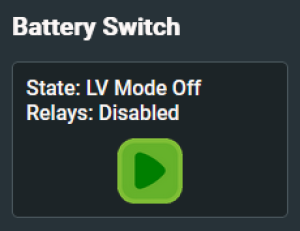
System Start-Up
After booting, the BMS requires about 120 seconds for full initialization.
Only after this delay the green „Power On“ button becomes available.
⏳ During this time, the system runs internal checks and communication initialization.
Activation Flow
High Voltage Systems
- When „Power On“ is pressed, the BMS automatically performs an isolation test
- If the test passes, the precharge sequence starts, followed by activation of the positive and negative relays
- The system is now live and ready for operation
Low Voltage Systems
- Same flow as above, but without isolation test
- Relays are closed after a short delay and the inverter is powered up
When System is Active
Once relays are engaged, two buttons become visible:
- 🔴 Emergency Stop
Instantly disables all relays – use only in emergency situations ⚠️ Cuts power without any shutdown process. May lead to system faults if used during operation.
- 🔵 Shutdown
Recommended method for turning the system off Sends a clean shutdown signal to the inverter and safely disconnects all relays afterward
Status Indicators
- State: Shows current switch/test state (e.g.
Waiting,Testing Isolation,Ready,Error) - Relays: Displays relay status (e.g.
Open,Closed,Precharge,Error)🔍 Always check both values before powering on or off the system manually.